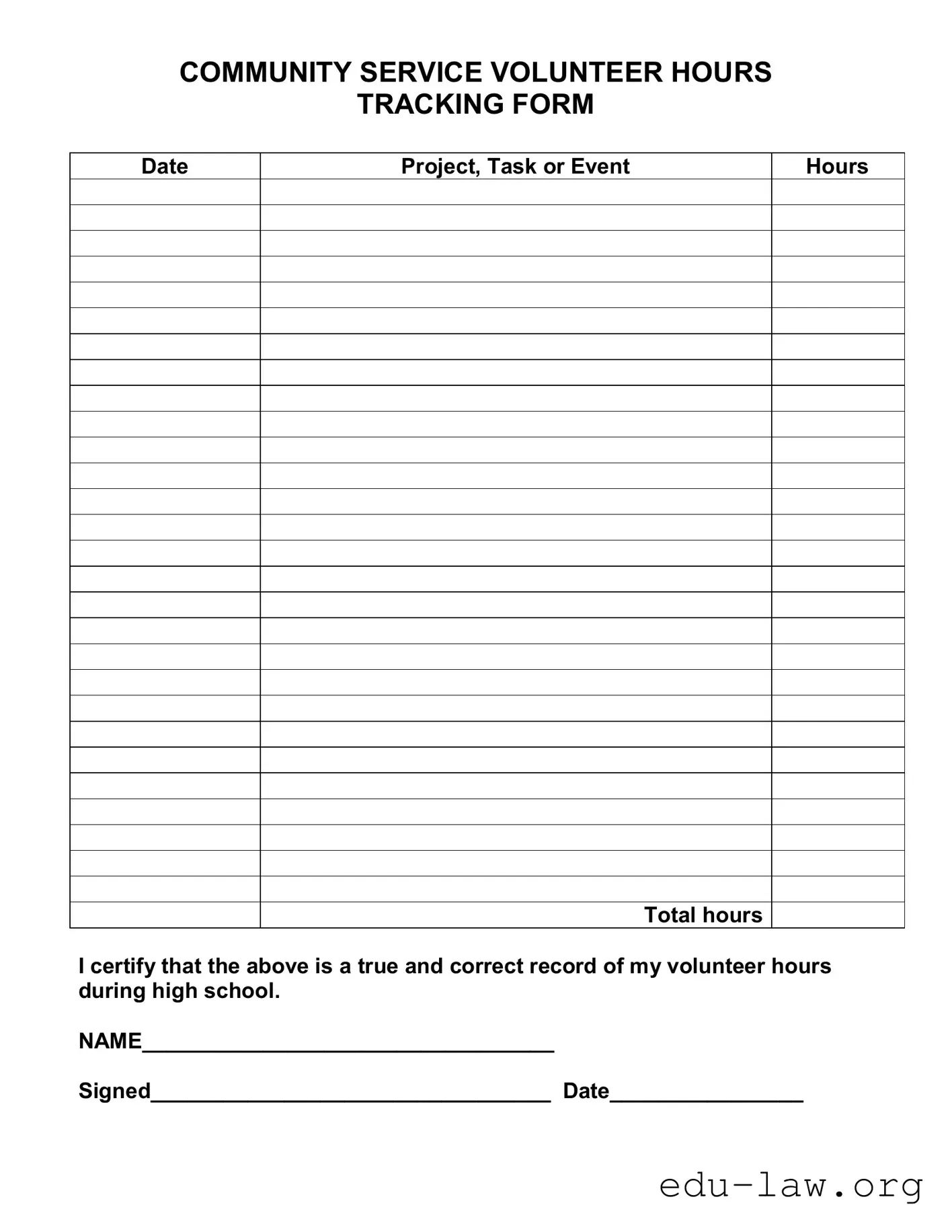
The Community Tracking form serves as a vital tool for high school students engaged in volunteer activities. This form not only helps students document their service hours but also emphasizes the importance of community involvement. Each entry on the form includes key details such as the date of service, the specific project or task undertaken, and the total hours contributed. By requiring a certification of accuracy, the form promotes accountability and integrity in reporting volunteer efforts. Students are prompted to provide their name, sign the form, and date it, ensuring that all information is verifiable. Such structured documentation can be beneficial for college applications and scholarships, as it showcases a commitment to community service. Ultimately, the Community Tracking form is designed to streamline the process of tracking volunteer hours while encouraging civic engagement among youth.

COMMUNITY SERVICE VOLUNTEER HOURS
TRACKING FORM
Date
Project, Task or Event
Hours
Total hours
I certify that the above is a true and correct record of my volunteer hours during high school.
NAME__________________________________
Signed_________________________________ Date________________
| Fact Name | Description |
|---|---|
| Purpose | The Community Service Volunteer Hours Tracking Form is used to document volunteer hours completed by high school students. |
| Contents | The form includes fields for the date, project or task, hours worked, total hours, and a certification statement. |
| Certification | Volunteers must certify that the recorded hours are accurate by signing and dating the form. |
| State-Specific Laws | In some states, such as California, the governing law for community service documentation may include specific educational codes that outline volunteer hour requirements. |
After completing the Community Tracking form, you will have a record of your volunteer hours. This information may be useful for school requirements, scholarship applications, or personal tracking. Follow the steps below to fill out the form accurately.
What is the Community Tracking form?
The Community Tracking form is a document used to record volunteer hours for community service projects, tasks, or events. It helps individuals keep track of their contributions, especially during high school, ensuring they have an accurate record for future reference, such as college applications or job opportunities.
Who should use the Community Tracking form?
This form is primarily designed for high school students who are participating in community service activities. However, anyone involved in volunteer work can utilize it to document their hours and experiences effectively.
How do I fill out the Community Tracking form?
To complete the form, start by entering the date of the community service activity. Next, describe the project, task, or event you participated in. Then, record the number of hours you volunteered. Finally, sign and date the form to certify that the information provided is accurate.
Why is it important to track volunteer hours?
Tracking volunteer hours is important for several reasons. It provides a clear record of your contributions, which can be beneficial for college applications, resumes, and scholarship opportunities. Additionally, it helps organizations recognize and appreciate the efforts of their volunteers.
Can I use the Community Tracking form for multiple projects?
Yes, you can use the form to track multiple projects. Simply fill out the form for each project or event you participate in, ensuring that you keep an accurate count of your total hours volunteered. If you have a lot of entries, consider using multiple forms for clarity.
Is there a limit to the number of hours I can report?
No, there is no specific limit to the number of hours you can report on the Community Tracking form. However, it’s essential to be honest and accurate when documenting your volunteer time. Only include hours that you genuinely contributed to community service activities.
What should I do if I forget to record my hours immediately?
If you forget to record your hours right away, try to recall the details of the activity as soon as possible. Write down the date, project details, and the number of hours you volunteered. It’s better to document your hours late than not at all, as long as you remain truthful about the time spent volunteering.
Can I get a copy of the Community Tracking form?
Yes, you can obtain a copy of the Community Tracking form from your school, community organization, or various online resources. Many organizations provide templates that you can download and print for your convenience.
What happens after I submit the Community Tracking form?
After you submit the Community Tracking form, it may be reviewed by a teacher, counselor, or community service coordinator. They may use this information to verify your hours for awards, recognition, or other purposes. Keep a copy for your records, as it can be useful for your future endeavors.
Is there a deadline for submitting the Community Tracking form?
Deadlines for submitting the Community Tracking form can vary based on your school or organization’s requirements. It’s best to check with your school or the organization overseeing your community service to ensure you submit your form on time.
Failing to include the date of the service. Each entry should have a clear date to ensure proper tracking.
Not providing a detailed description of the project, task, or event. A vague description can lead to confusion about the nature of the service performed.
Incorrectly calculating total hours. Double-check calculations to avoid discrepancies.
Neglecting to sign the form. A signature is necessary to certify the accuracy of the reported hours.
Using illegible handwriting. Ensure that all entries are clear and easy to read to prevent misunderstandings.
Omitting the name section. Always fill out the name to attribute the hours to the correct individual.
Not keeping a copy of the form. Retaining a copy for personal records can be helpful for future reference.
Submitting the form late. Adhere to deadlines to ensure that volunteer hours are counted.
Failing to update the form as needed. If hours change, make sure to revise the form accordingly.
The Community Tracking form is an essential document used to record volunteer hours for high school students. It helps in maintaining an accurate account of community service activities. Along with this form, several other documents are often utilized to support the tracking and recognition of volunteer efforts. Below is a list of related forms and documents.
These documents collectively enhance the experience of volunteering, ensuring that both the volunteers and the organizations benefit from clear communication and accountability. They serve as valuable tools for documenting and reflecting on community service contributions.
The Volunteer Hours Log serves a similar purpose to the Community Tracking form by documenting the hours individuals dedicate to volunteer work. This log typically includes sections for the date, activity description, and total hours volunteered. Like the Community Tracking form, it requires a signature to verify the accuracy of the reported hours. This ensures accountability and provides a formal record for both the volunteer and the organization.
The Service Learning Reflection Form is another document that parallels the Community Tracking form. This form not only tracks volunteer hours but also encourages individuals to reflect on their experiences. Participants provide insights into what they learned and how they contributed to the community. This reflective component adds depth to the simple tracking of hours, fostering personal growth alongside service.
The Internship Tracking Sheet functions similarly by recording hours worked and tasks completed during an internship. Interns fill out this sheet to keep a precise account of their contributions and experiences. Like the Community Tracking form, it often requires a supervisor's signature to confirm the accuracy of the reported hours, ensuring that both the intern and the organization maintain transparency.
The Donor Acknowledgment Form is comparable in that it records contributions, though it focuses on monetary donations rather than volunteer hours. This document typically includes details about the donor, the amount donated, and the date of the donation. Both forms serve to maintain accurate records for accountability and recognition purposes, although they apply to different types of community involvement.
The Event Participation Form is another document that tracks involvement in community activities. Participants fill out this form to indicate their attendance and engagement in events. Similar to the Community Tracking form, it captures essential information such as the date and type of event, ensuring a clear record of participation for future reference.
The Project Completion Report is akin to the Community Tracking form in that it documents the completion of specific community service projects. This report typically includes details about the project, the team members involved, and the total hours spent. It serves as a formal acknowledgment of the work done, much like the tracking of volunteer hours in the Community Tracking form.
The Club Activity Log tracks hours and activities for members of a community service club. Members use this log to record their participation in various projects and events. It is structured similarly to the Community Tracking form, providing sections for dates, activities, and hours, thus ensuring that all contributions are recognized and accounted for.
The Field Trip Participation Form is similar in that it records attendance and involvement in educational community outings. This form captures essential details such as the date, location, and purpose of the trip. Both forms aim to keep an accurate record of participation, ensuring that individuals receive credit for their engagement in community activities.
The Membership Hours Record is another document that aligns with the Community Tracking form. It tracks the hours that members contribute to an organization or club. This record includes fields for the date, activity, and total hours, much like the Community Tracking form. It serves to acknowledge member contributions and maintain an accurate account of service hours.
Lastly, the Community Engagement Survey collects data on individuals' participation in various community activities. While it may not track hours in the same way, it gathers information about the types of activities individuals engage in. This survey complements the Community Tracking form by providing a broader picture of community involvement and volunteerism.
When filling out the Community Tracking form, it is important to follow certain guidelines to ensure accuracy and clarity. Here are five things to do and five things to avoid:
Many individuals have misconceptions about the Community Tracking form. Understanding these misconceptions can help clarify its purpose and use. Here are five common misunderstandings:
By addressing these misconceptions, individuals can better understand the importance of the Community Tracking form and its role in recognizing volunteer efforts.
Filling out the Community Tracking form is an important step in documenting your volunteer hours. Here are some key takeaways to keep in mind:
By following these guidelines, you can effectively track your volunteer hours and ensure that your contributions are recognized.