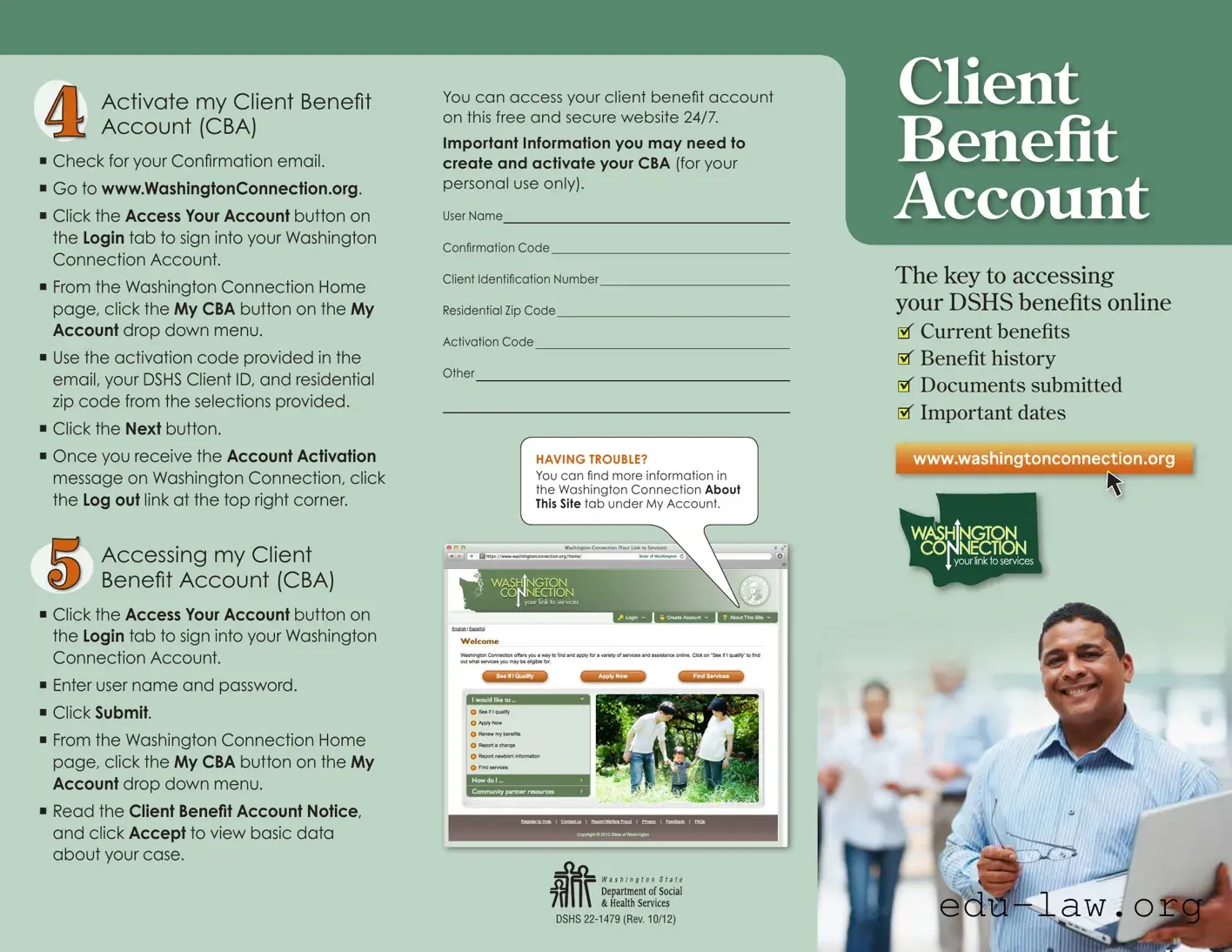
The Client Benefit Account (CBA) form serves as an essential tool for individuals seeking to access their Department of Social and Health Services (DSHS) benefits online. This form facilitates the creation and activation of a secure account, allowing users to view their current benefits, benefit history, and important documents, all from the comfort of their homes. To get started, users must first activate their CBA by following a series of straightforward steps, which include checking their email for a confirmation code, signing into their Washington Connection account, and entering specific identification information. Once activated, the CBA provides 24/7 access to vital account information, ensuring that individuals can manage their benefits efficiently. Additionally, the form includes helpful tips for those who may encounter difficulties during the process, guiding them to resources that can assist with any challenges they might face. Overall, the CBA form streamlines the experience of managing DSHS benefits, making it easier for individuals to stay informed and engaged with their assistance programs.
Activate my Client Beneit
Account (CBA)
Check for your Conirmation email.
Go to www.WashingtonConnection.org.
Click the Access Your Account button on the Login tab to sign into your Washington Connection Account.
From the Washington Connection Home page, click the My CBA button on the My Account drop down menu.
Use the activation code provided in the email, your DSHS Client ID, and residential zip code from the selections provided.
Click the Next button.
Once you receive the Account Activation message on Washington Connection, click the Log out link at the top right corner.
Accessing my Client
Beneit Account (CBA)
Click the Access Your Account button on the Login tab to sign into your Washington Connection Account.
Enter user name and password.
Click Submit.
From the Washington Connection Home page, click the My CBA button on the My Account drop down menu.
Read the Client Beneit Account Notice, and click Accept to view basic data about your case.
You can access your client beneit account
on this free and secure website 24/7.
Important Information you may need to create and activate your CBA (for your
personal use only).
User Name
Conirmation Code
Client Identiication Number
Residential Zip Code
Activation Code
Other
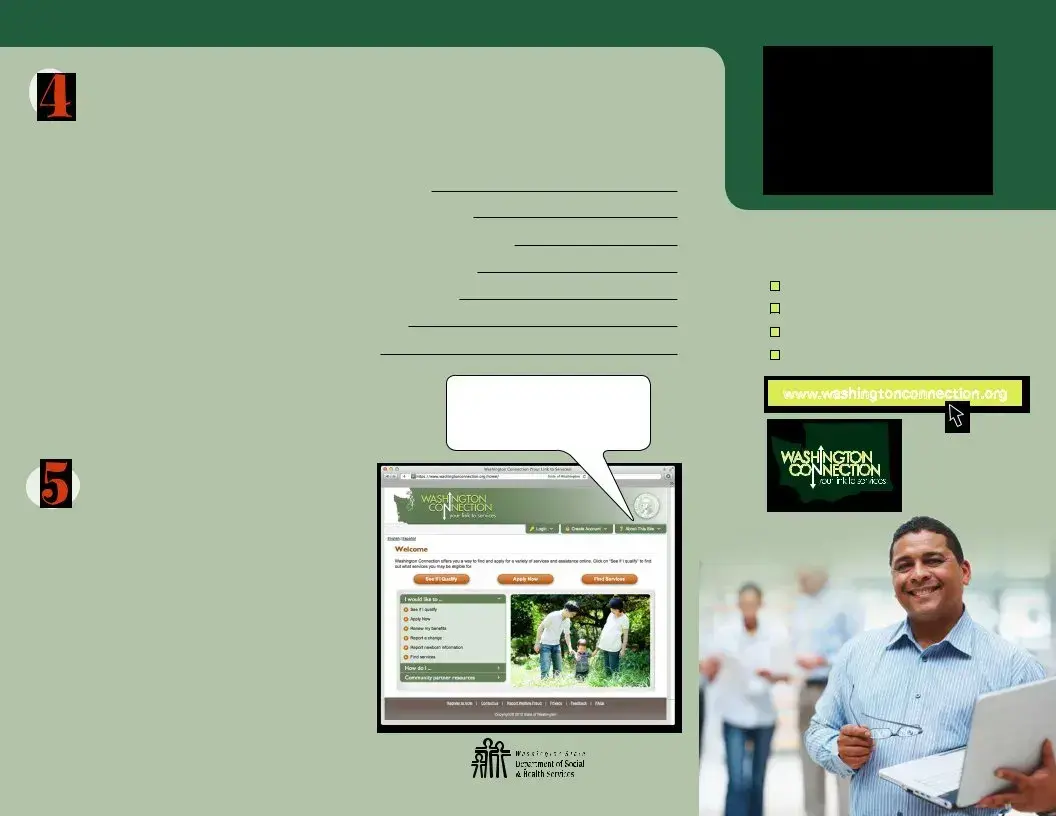
HAVING TROUBLE?
You can ind more information in
the Washington Connection About This Site tab under My Account.
Client
Benefit
Account
The key to accessing your DSHS benefits online
Current benefits
Benefit history
Documents submitted
Important dates
www.washingtonconnection.org
DSHS
Do you want to save time?
Do you have access to a computer? Do you have an email account? Here are 5 steps to a fast, easy, secure way to access your DSHS benefit account information.
Before you get started, you will need
Access to the internet.
Email account.
DSHS Client Identiication Number.
*If you already have a Washington Connection SAW account set up, skip to step 3.
Create a Secure Access Washington (SAW) Account
Go to www.WashingtonConnection.org.
Click on Create New Account button on the Create Account drop down menu.
Complete all the data ields on the Create a New User Account page.
Click the Next button.
Check your email for the conirmation
code*.
*If you don’t receive an activation email, check your junk/spam folder.
Activate my Secure Access Washington (SAW) Account
From the Conirmation email, click the second link provided to activate your SAW Account.
The New User Account – Conirmation screen will appear.
Click the Login link.
– OR –
From the Washington Connection Home page, click the Activate Your Account button on the Create Account drop down menu.
Enter your User Name and Conirmation
Code that was sent to your email.
Click the Next button.
Click the Login link.
Enter your User Name, Password and click Submit.
Now that your SAW Account is activated, you are ready to create your
Client Beneit Account.
Create my Client Beneit
Account (CBA)
Click the Access Your Account button on the Login drop down menu to sign into your Washington Connection Account.
From the Summary page, click the Access
Client Beneit Account Information link.
Click My CBA button on the My Account drop down menu.
Complete all the data ields on the
Registration page exactly as DSHS has it on ile using your residential zip code.
Click the Next button.
Check your email for the information
on the next step to activate your Client
Beneit Account (CBA).
Click the Log out button next to your name.
Continued...
| Fact Name | Description |
|---|---|
| Activation Process | To activate a Client Benefit Account (CBA), users must check their email for a confirmation code, visit www.WashingtonConnection.org, and follow the prompts to enter their DSHS Client ID and residential zip code. |
| Accessing Benefits | Users can access their CBA 24/7 through the Washington Connection website, where they can view current benefits, benefit history, submitted documents, and important dates. |
| Required Information | To create and activate a CBA, individuals need access to the internet, an email account, and their DSHS Client Identification Number. |
| Secure Access Washington (SAW) | Before creating a CBA, users must first create a Secure Access Washington (SAW) account, which involves completing a registration process on the Washington Connection website. |
| Governing Law | The Client Benefit Account is governed by the Washington State Department of Social and Health Services regulations, ensuring compliance with state laws regarding public assistance benefits. |
After completing the necessary steps to create and activate your Secure Access Washington (SAW) Account, you can proceed to fill out the Client Benefit Account (CBA) form. This form is essential for accessing your benefits online. Follow the steps outlined below to ensure a smooth process.
By following these steps, you will have successfully filled out the Client Benefit Account form and can now access your benefits online securely.
What is the Client Benefit Account (CBA) form?
The Client Benefit Account (CBA) form is a tool that allows individuals to access their Department of Social and Health Services (DSHS) benefits online. It provides a secure way to view current benefits, benefit history, submitted documents, and important dates related to one’s case. This online access is available 24/7 through the Washington Connection website.
How do I activate my Client Benefit Account?
To activate your CBA, first check for the confirmation email sent to you. Then, visit www.WashingtonConnection.org. Click on the "Access Your Account" button on the Login tab to sign in. From the home page, select "My CBA" from the "My Account" drop-down menu. Use the activation code from the email, along with your DSHS Client ID and residential zip code. Click "Next" and once you see the Account Activation message, log out.
What information do I need to access my CBA?
You will need several pieces of information to access your CBA, including your user name, confirmation code, DSHS Client Identification Number, residential zip code, and activation code. Make sure to have these details on hand to facilitate the login process.
Can I access my Client Benefit Account from any device?
Yes, you can access your Client Benefit Account from any device that has internet access. This includes computers, tablets, and smartphones. The website is designed to be user-friendly and secure, allowing you to manage your benefits conveniently.
What should I do if I forget my username or password?
If you forget your username or password, you can use the recovery options available on the Washington Connection website. Follow the prompts for password recovery or username retrieval to regain access to your account. If you encounter issues, consider reaching out to customer support for assistance.
Is there a fee to access my Client Benefit Account?
No, accessing your Client Benefit Account is completely free. The Washington Connection website is designed to provide individuals with easy and secure access to their DSHS benefits without any associated costs.
What if I don't receive the confirmation email to activate my account?
If you do not receive the confirmation email, first check your junk or spam folder. If it is not there, you may need to re-enter your email address or create a new account. Ensure that you are using a valid email address during the registration process to avoid any issues.
How can I find more information about my benefits?
To find more information about your benefits, log into your Client Benefit Account on the Washington Connection website. Once logged in, you can view your current benefits, history, and any documents you have submitted. Additionally, the "About This Site" tab under "My Account" offers further resources and guidance.
What if I encounter technical issues while accessing my account?
If you experience technical difficulties while accessing your account, first try clearing your browser's cache or using a different browser. If the problem persists, consult the "Having Trouble?" section on the Washington Connection website for troubleshooting tips or contact customer support for further assistance.
How often should I check my Client Benefit Account?
It is advisable to check your Client Benefit Account regularly to stay updated on your benefits, any changes to your case, and important deadlines. Frequent checks can help ensure that you do not miss any critical information related to your DSHS benefits.
Inaccurate Information: Providing incorrect details, such as your DSHS Client ID or residential zip code, can lead to delays in account activation.
Skipping Email Confirmation: Failing to check your email for the confirmation code can prevent you from activating your account.
Ignoring Spam/Junk Folder: Sometimes, confirmation emails end up in spam or junk folders. Not checking these folders can result in missing important activation links.
Incomplete Registration: Leaving fields blank on the registration page will hinder the creation of your Client Benefit Account.
Incorrect Username or Password: Entering the wrong username or password during login can lock you out of your account.
Not Reading Notices: Overlooking the Client Benefit Account Notice can lead to misunderstandings about your benefits and account usage.
Failure to Log Out: Neglecting to log out after accessing your account can compromise your personal information.
Not Using the Correct Website: Attempting to access your account through unofficial websites can jeopardize your security and account integrity.
Missing Required Information: Forgetting to gather essential information, such as the activation code or client identification number, can stall the process.
Ignoring Help Resources: Not utilizing available resources or support options when facing issues can prolong the resolution of your account problems.
When accessing the Client Benefit Account (CBA), several other forms and documents may be necessary. These documents facilitate the process of creating and managing your account, ensuring that you can efficiently access your benefits. Below is a list of commonly used forms and documents associated with the CBA.
Understanding these forms and documents is essential for effectively managing your Client Benefit Account. Having them ready can streamline your experience and ensure that you access your benefits without unnecessary delays.
The Client Benefit Account form shares similarities with the Medicaid Application form. Both documents serve to provide individuals with access to essential benefits, ensuring that they can manage their healthcare needs effectively. The Medicaid Application requires personal information, such as identification numbers and residential details, similar to the Client Benefit Account form. Additionally, both forms allow users to check their eligibility and access their benefits online, streamlining the process of receiving assistance.
Another document that resembles the Client Benefit Account form is the Food Assistance Application. This application is designed to help individuals apply for food benefits, much like the Client Benefit Account facilitates access to various DSHS benefits. Both forms require applicants to provide personal and financial information, which is used to determine eligibility. Users can track their application status and benefits online, making it easier to manage their resources.
The Temporary Assistance for Needy Families (TANF) Application is also comparable to the Client Benefit Account form. Like the Client Benefit Account, the TANF Application enables individuals to access financial assistance and support services. Both documents require the submission of personal information and allow users to monitor their benefits through online platforms. This accessibility is crucial for families in need, as it provides timely assistance and resources.
In addition, the Unemployment Benefits Application shares similarities with the Client Benefit Account form. Both documents require applicants to provide personal identification and details about their circumstances. The Unemployment Benefits Application focuses on providing financial support to those who have lost their jobs, while the Client Benefit Account form helps individuals access a broader range of DSHS benefits. Both processes emphasize the importance of online access for timely support.
The Social Security Benefits Application is another document akin to the Client Benefit Account form. Both forms facilitate access to vital financial support, whether through Social Security or DSHS benefits. Applicants must provide detailed personal information and documentation to establish their eligibility. The online nature of both applications allows individuals to manage their benefits conveniently, ensuring they receive the assistance they need.
The Housing Assistance Application also mirrors the Client Benefit Account form in its purpose of providing essential support to individuals and families. Both documents require applicants to submit personal information, including income and residency details, to determine eligibility for assistance. The online access to both applications enables users to stay informed about their application status and available resources, promoting a more efficient support system.
Lastly, the Child Care Assistance Application is similar to the Client Benefit Account form in that it aims to provide financial support for families. Both documents require personal and financial information to assess eligibility for benefits. The Child Care Assistance Application helps families afford childcare services, while the Client Benefit Account form provides access to a variety of DSHS benefits. The online platforms for both applications enhance accessibility and streamline the process for users seeking assistance.
When filling out the Client Benefit Account form, certain practices can enhance the process, while others may hinder it. Below is a list of actions to consider.
This is incorrect. Existing clients can also use the CBA form to access their benefits and update their information.
Activation can be done entirely online. Simply follow the steps provided in the confirmation email.
These are two different pieces of information. The activation code is sent via email, while the DSHS Client ID is unique to your case.
An email account is necessary for receiving the activation code and other important communications.
The Washington Connection website is designed to be secure and protects your personal information.
You can access your account using any device with internet capability, including smartphones and tablets.
You will need to log in each time you want to access your CBA. Your account is not permanently logged in for security reasons.
The process is straightforward and designed for ease of use. Following the steps can save you time.
You can update your information as needed through your CBA at any time.
If you experience any issues, assistance is readily available through the Washington Connection website.
Filling out and using the Client Benefit Account (CBA) form can streamline your access to important benefits. Here are some key takeaways to help you navigate the process smoothly:
By following these steps, you can efficiently manage your benefits and stay informed about your case. Taking the time to set up your Client Benefit Account correctly will save you time and provide peace of mind.